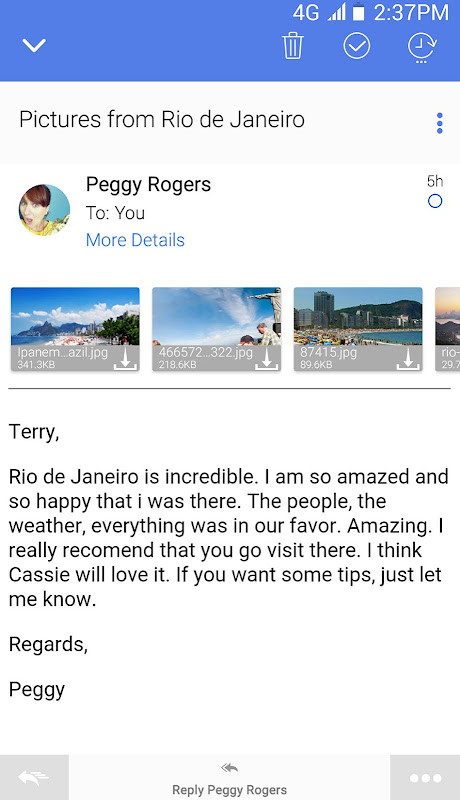
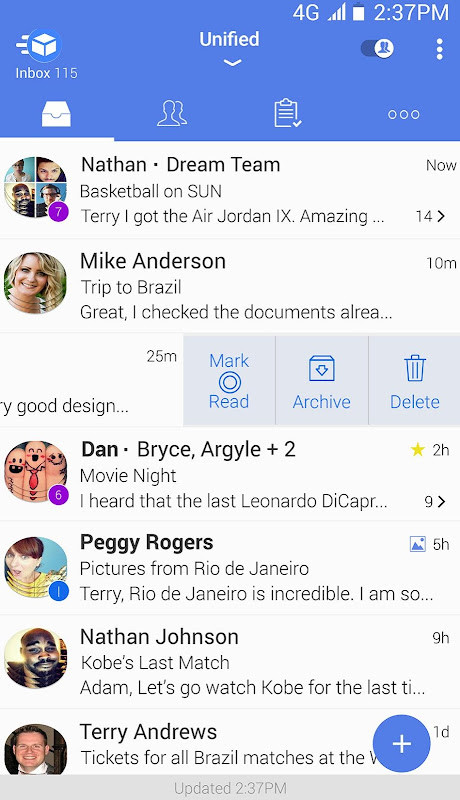
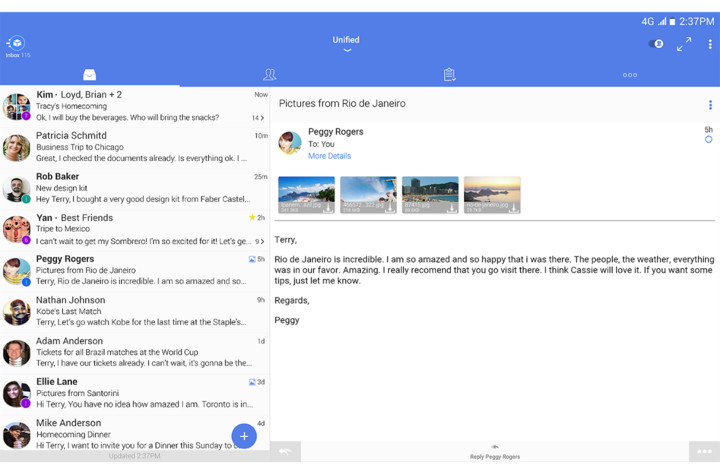
Type App is a beautifully designed email app providing a top-notch email experience while managing all your email accounts from one completely customizable mail app. With instant smart push notifications, packaged in an intuitive & easy to use design, Type App is the perfect replacement for your stock email client


Unified Inbox – All Your Mail Accounts in One Email App

Supporting IMAP, POP3 as well as Exchange protocols. Type App automatically configures them once you sign in. View & sync all your email accounts from one Unified Inbox, while enjoying lightning fast true push email.


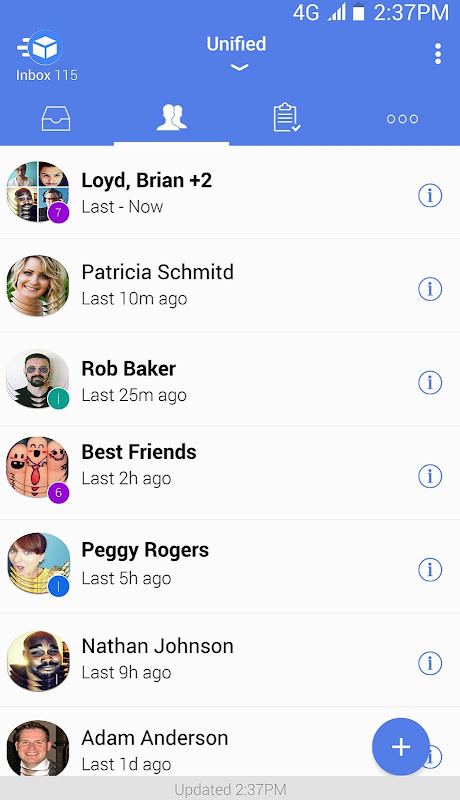
People-Centric – Bringing People Together

Communicating with people is important and with Type App’s innovative people-centric features, it becomes even more simple. Focus on mail from people much faster with the People Switch, or be notified when specific VIP Notifications.


Group Mail – Quick & Easy Mailing

You can create a Shared Group with all your contacts at your work and personal accounts, which every member can view, to receive and send emails.


Simplifying Email with Clusters

Automatically combine relevant emails into a single expanding slot using Type App smart threading as well as set different notification sounds for specific services. With Clusters, you can control all emails from a specific sender and with multi-edit quickly moving, deleting, or marking clusters as spam is simple.


FEATURE RICH EXPERIENCE

● Instant, Smart Push Notifications - Quiet Hours, Custom Sounds, Vibrate, LED Light, Snooze Alerts and other preferences per each of your accounts

● Smart Conversations – Makes mail app convenient and easy

● Rich Text - Easily configure text styles and add your logo

● Calendar Sync and Contacts – Get your ActiveSync work account in sync

● Android Wear - Intelligent email on your wrist

● Configurable Menus – Customize your menus with actions that really matter to you

● Wireless Printing – Integrated with any supported printer

● Days to Sync – Saves memory for offline use

● Unread and Scrollable Widgets - Access your mails inbox at a glance

● Beautiful Dark Mode & Themes

● Account Color Coding - Know from which account a mail has been received


 Getting Stuff Done

Quickly mark emails that you wish to be handled later & set yourself reminders. When you finish handling an email, you can simply mark it done and get it out of your way without having to delete the email. Use our Smart Filters to easily filter emails by unread/starred.


 Visually Appealing – Beautifully Designed

Easily recognize popular services by their icons and give your friends and contacts an avatar photo to help you process your incoming mail faster. Quickly see how many unread emails are in your inbox with the TypeA pp icon (for supported devices) or with the 1x1 unread widget for any account of your accounts including the Unified Inbox. Set colors for your accounts to help them stand out or use Type App’s automatic Dark Theme which switches per the daylight hours in your area.


 Security – Private & Secured

TypeApp takes your security and privacy seriously by utilizing industry leading encryption. You can rest easy knowing your data is always encrypted to protect all your email communications and keep your information secured. With passcode and lock screen, you can set a timed lock screen to protect your private emails, or use SMS verification to ensure your email app is safe.


We ❤ getting your feedback! Please email us anytime: [email protected] with any questions or suggestions you may have!


For news, please follow us on Twitter & Facebook:

https://www.typeapp.com

https://www.twitter.com/typeapp (@TypeApp)

https://www.facebook.com/typeapp
Bug Fixes











Google Duo is a free video calling tool app launched by Google. Google Duo is an Allo video assisting technology. It can make smooth calls even if the network speed is not fast. The Google Duo app is easy to operate, safe and reliable, and full of fun.
Description of Google Duo APK
Google Duo APK supports multi-segment undifferentiated video communication, and supports up to 32 people to communicate at the same time, which is very suitable for communication between family members. The software optimizes the network very well, and can automatically select the definition according to the user's network environment to ensure that the call can go on smoothly. The software is completely free to use, and everyone can communicate efficiently as long as there is a network. At the same time, you can also add interesting filter and sticker effects to your picture during video calls, making the atmosphere more active during video communication.
Google Duo APK Reviews
I have to mention that the design of Google Duo is really too simple. The account number is your mobile phone number. You can call the other party directly by clicking on the address book. If you don’t need a ladder all the way, it will replace Facetime. In addition, before you answer the call, you can see the other party's anxious, expectant or funny appearance (don't worry, the other party can't see you). Think about it, if you see the angry faces of your boss and colleagues in the conference room in the incoming call information, you can also be mentally prepared to connect to the video message, or pretend not to see it tactfully and gracefully.
Google Duo has merged into Google Meet
Google has added the Google Meet function to Google Duo to provide online multi-person meetings, virtual backgrounds, chat rooms, real-time subtitles and screen sharing. And it can connect to Google services such as Gmail and Google Assistant. The original Google Duo was renamed Google Meet.
Google has merged the functions of Google Duo and Google Meet, so that Google Duo can have more practical functions of Google Meet, and will further adjust the name to Google Meet later.
Google Duo and Google Meet are originally different services. The former was originally used to allow users to communicate online through mobile phones, while the latter evolved from the early Hangouts service and became a service for corporate online meetings. However, due to the epidemic Change the way of life, so that Google will open this service to general users for free in the future.
Users originally registered on Duo, to use Google Meet, go to Duo.google.com (this URL will be automatically updated in a future version) If you are a new user, you can register your phone number in two ways , on a computer, go to Duo.google.com,
If it's on your mobile device, you can download and sign up for the new Google Meet directly.










 Download (46.4MB)